June brings a host of new features in the Sundog product focusing on our collaboration tools, as well as extending the usefulness of annotations.
You can see them demonstrated in the video below, or read on for the written version.
Notifications and Mentions
The Stack Viewer now supports “mentions” in comment threads, and sends email notifications to users when they’ve been mentioned. This closes the loop on collaboration in Sundog: you can do work in the tool, mention another user, and they can come straight to your comment and work with you, either asynchronously or in real-time.
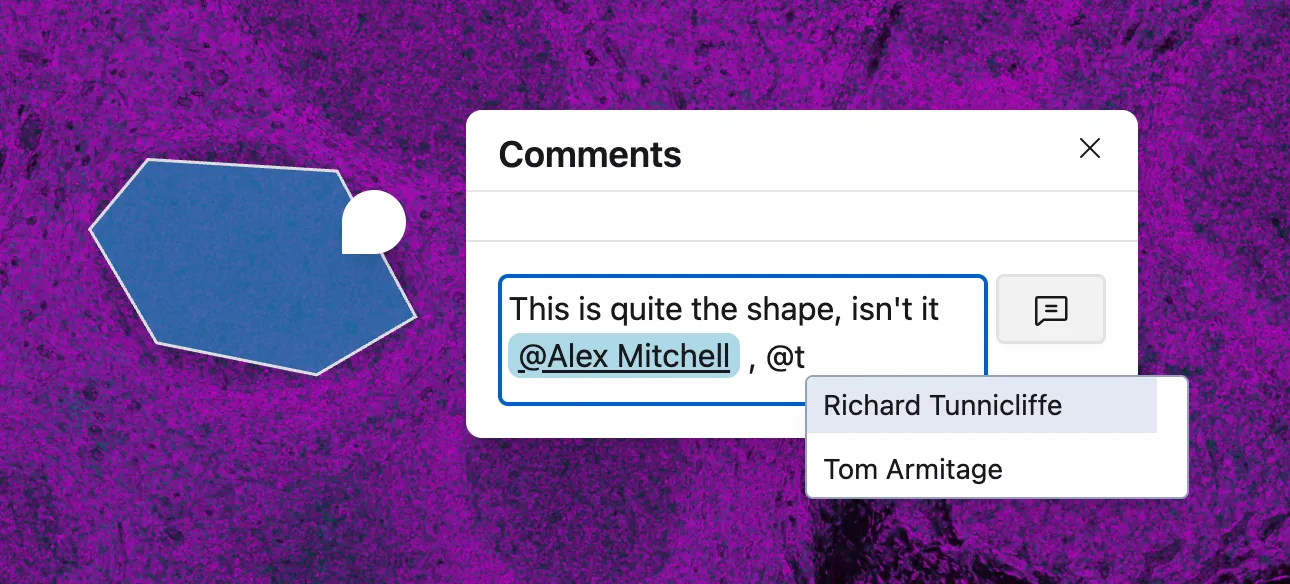
Draw a colleague’s attention to a comment with a mention - type @ in the comment box to be presented with an auto-completer (showing users who can see the current Stack), and pick a person to mention them.
When you leave the comment, they’ll get an email notification of the mention, which they can follow straight through to the comment in question.
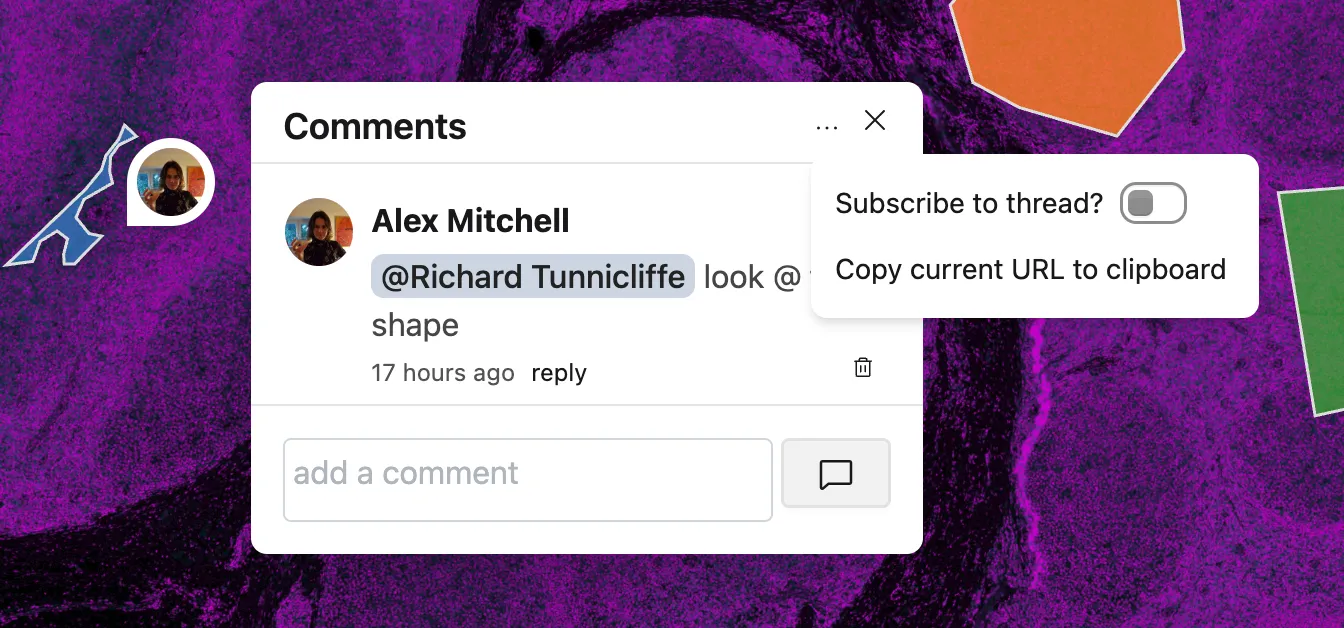
Notifications are sent for comments on a thread to anyone subscribed to a comment thread. The user who created a Stack is subscribed to all comment threads by default - they’ll be notified regardless of whether you @-mention them or not. Once you’ve been @-mentioned in a thread, you’re also subscribed to it.
You can unsubscribe frmo a thread top-right menu of any comment panel. And if you don’t want to be distrubed at all, you can disable notifications globally across Sundog.
The documentation for mentions and notifications is available here.
Follow other users around a Stack
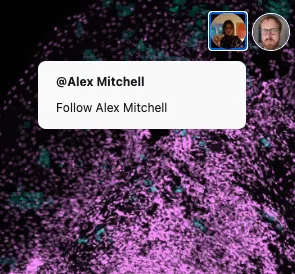
It’s now possible to follow another user around a Stack in real-time. Click on their avatar top right, and choose the follow option.
Your viewport will now follow the other user around the Stack, seeing exactly what they see as they pan or zoom. Following a user is great for touring a recent slide, performing demonstrations, or teaching. It’s ideal for remote meetings: instead of sharing your screen, discuss what you’re seeing on a call whilst looking at the full-resolution image in Sundog.
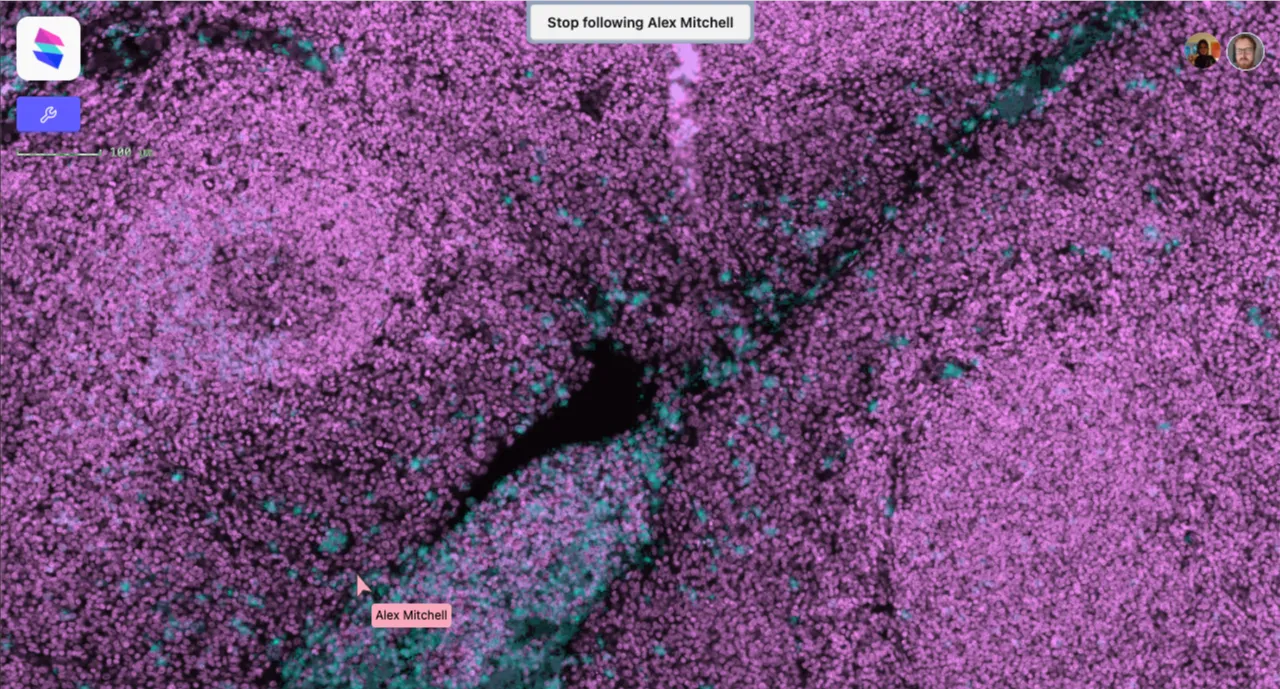
Unfollow a user by clicking the button top-center, or by picking a tool from the toolbox: you can’t annotate or draw whilst in Follow mode.
Manual overrides for the scale/resolution of Stacks.
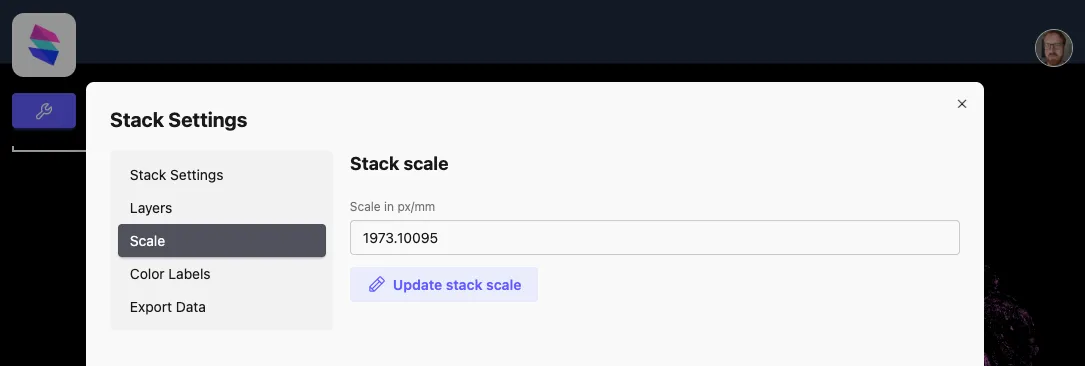
Sundog always attempts to determine the scale of an upload from its metadata. Sometimes, though, it’s necessary to correct or override that.
You can now manually set or override the scale for a Stack right from the Stack Viewer.
From the Stack Manager - newly redesigned - pick Scale, and then enter a new scale in px/mm. The scale will update immediately, and be saved with the Stack.
Annotation Inspector
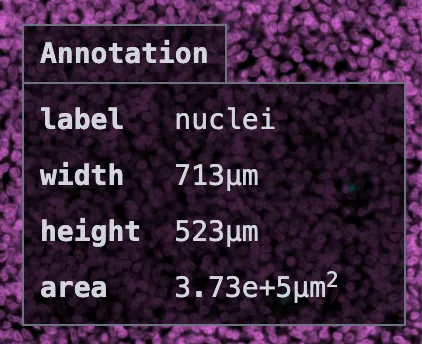
The new Annotation Inspector appears whenever you select an annotation. If the annotation has a named class, it will be shown here (“label”). The inspector also shows dimensions of the annotation: area for both polygon and rectangle annotations, as well as width/height for rectangular annotations. These measurements will all be in mm/µm if a scale is present, or px if not.
Annotation Data Export
Area data is now included in the export of annotation data. (Data export measurements are all supplied as px).
Better Screengrabs
And, finally, the screengrab tool in the StackViewer will now include annotations (if their layer is enabled) in any screengrabs it exports.